

hyphen for support pros

01.
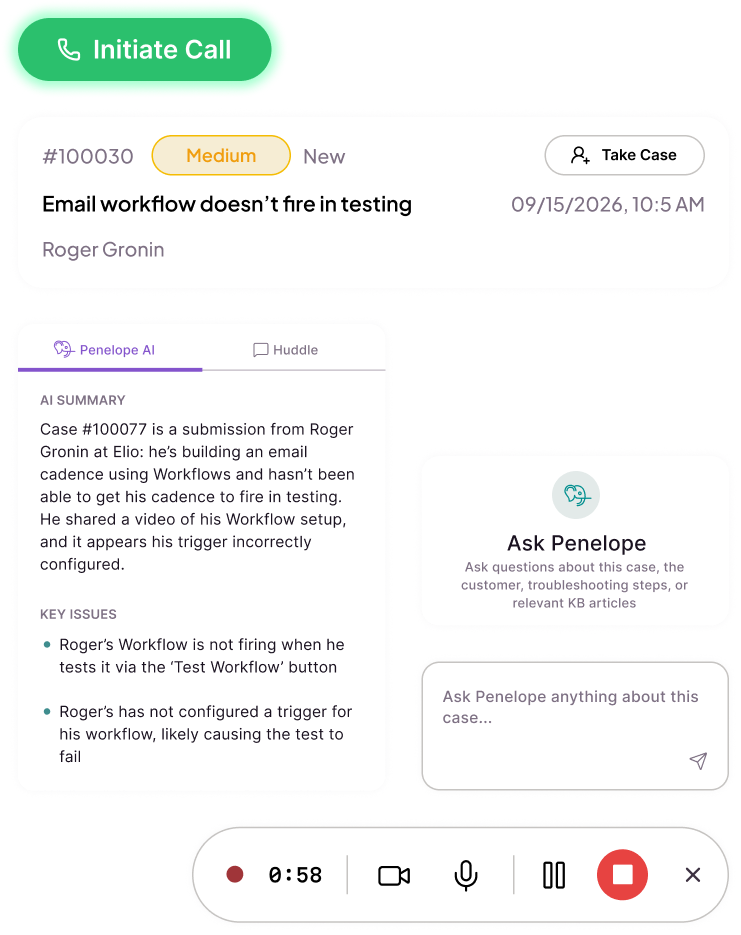
Hyphen puts case threads, your knowledge base, integrated customer information, sentiment scores, and notes in a central view so support pros are empowered to deliver excellent service from a single tab.
02.
With native screen recording, screenshots, video, and audio messages, Hyphen enables agents to respond visually without using auxiliary tools, managing permissions, or uploading large files.
03.
When agents need help with complex or technical cases, Hyphen’s built-in Huddle makes it easy to jump into an always-on, virtual meeting room with other online team members. Bring the Huddle with you back to your case view, or access Huddle chat from the control panel inside the case. No matter where you are, your team is with you.
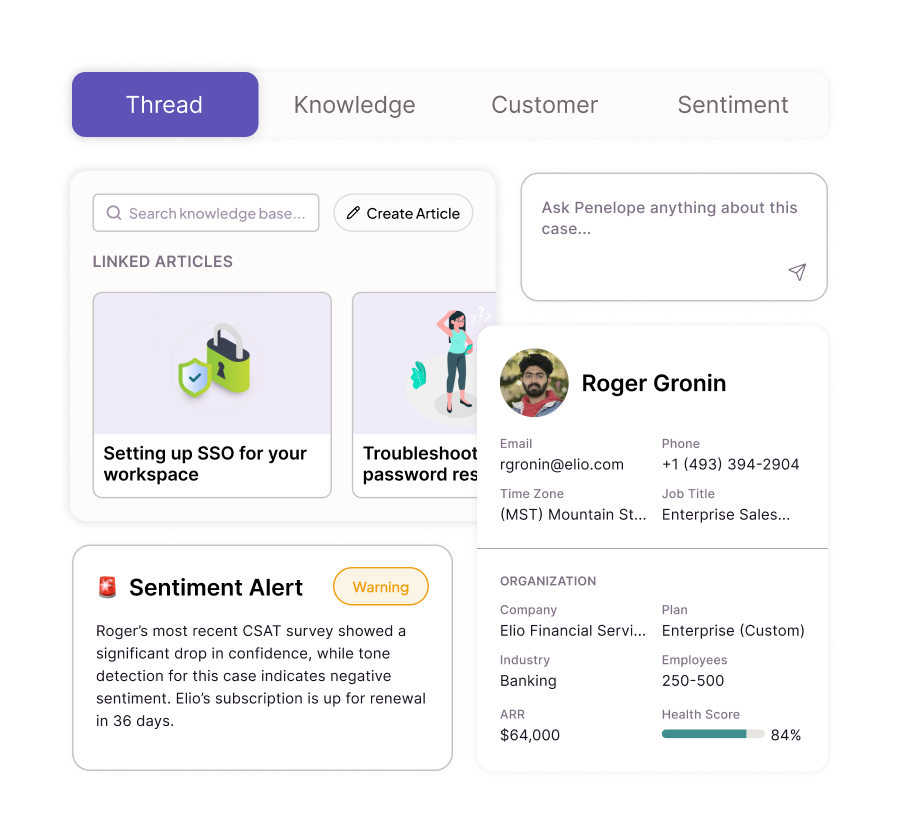
The Hyphen case view unifies context to make handling tickets smoother, with less digging, Slacking, and logging into ancillary tools.
From inside the case, agents can access the knowledge base and review related articles, see customer information from your CRM including renewal dates and contact owners, and understand the user’s support history.
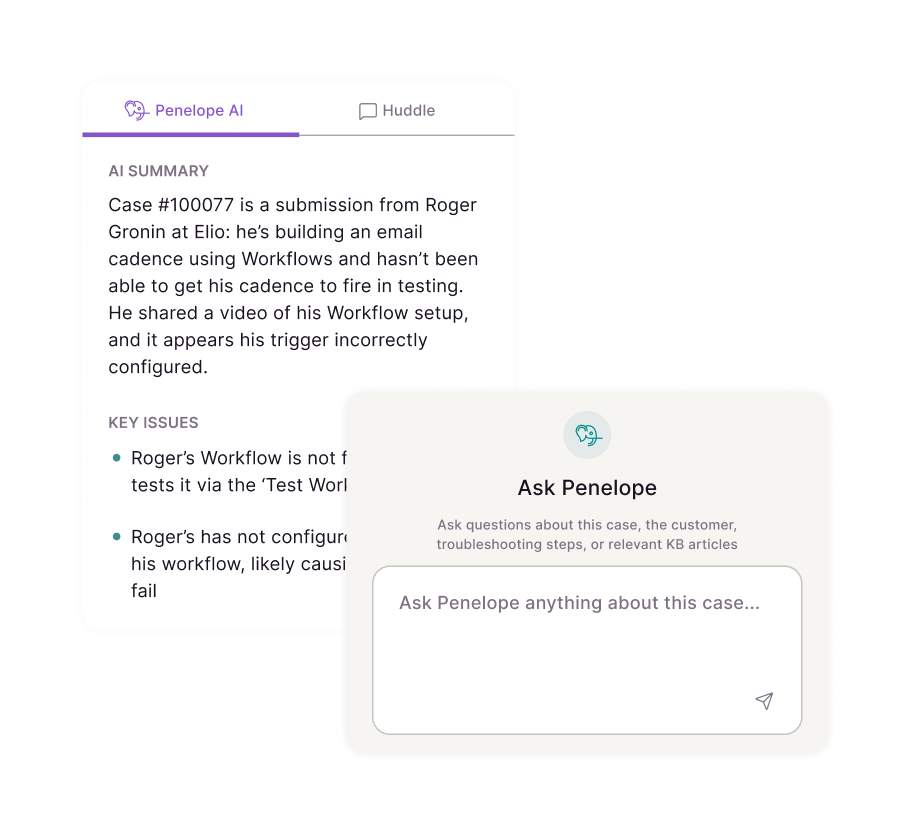
Penelope starts working on your case before you open it, surfacing suggested knowledge articles, transcribing and summarizing video and audio tickets, and highlighting important customer and product context.
From the moment an agent takes a case, they understand the customer’s current mood, whether other related tickets are active (bug detection), where the user is in their Sales cycle, and what to do to get the issue resolved quickly.
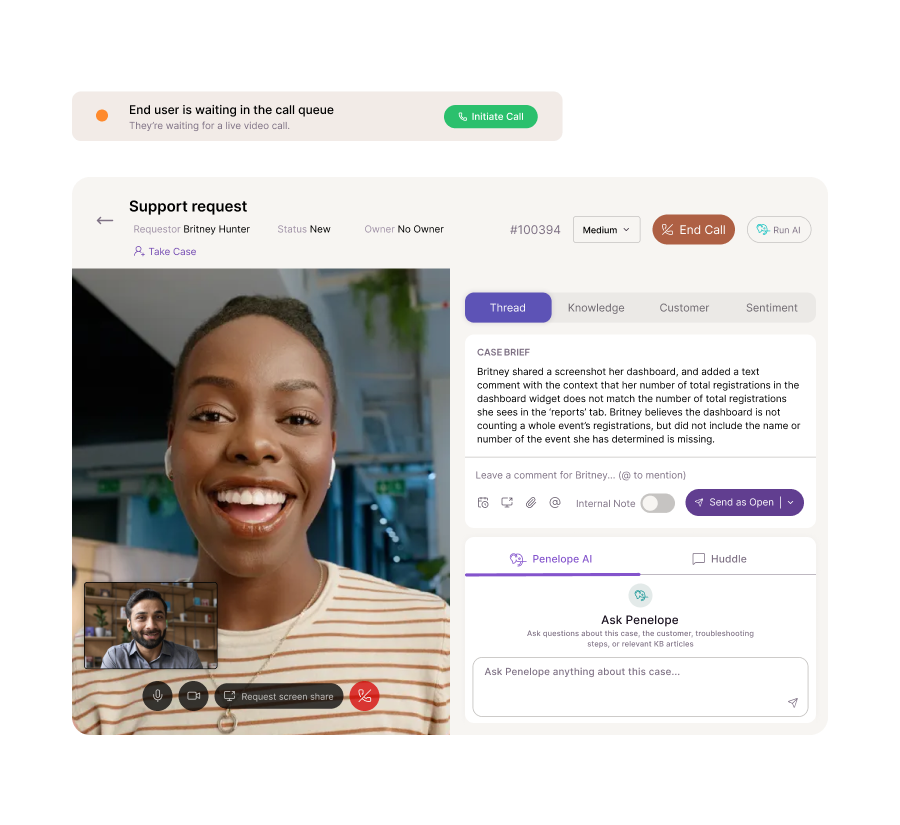
When enabled, support pros see who’s in the queue and initiate video calls from inside any case. With calling built in, agents keep case context centered as they talk to the customer.
Grab knowledge base articles, re-review the ticket, get more info from Penelope, or chat with your team in the Huddle without clicking away from the customer call.
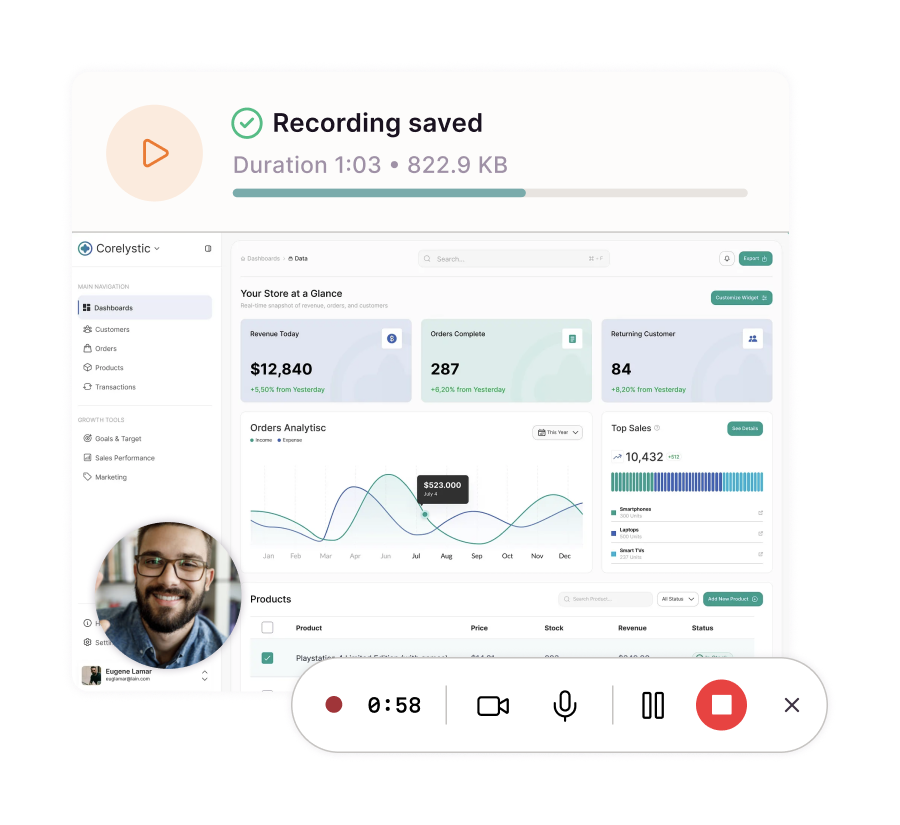
Hyphen makes it simple to show customers where to go— not just tell them with back-and-forth messages.
Built-in tools for recording video, screensharing, taking screenshots, and sending audio notes make it easier than ever to delight users with simple walkthroughs; no uploading large files, managing aging links, or paying for extra subscriptions required.
Support Manager, Mid-size B2B SaaS

Copyright © 2026 Hyphen
All Rights Reserved
hello@hyphen.support